01
Set your current task
A short reminder of what you're working on. One line is enough — "Finish the deck" or "Reply to Sarah."
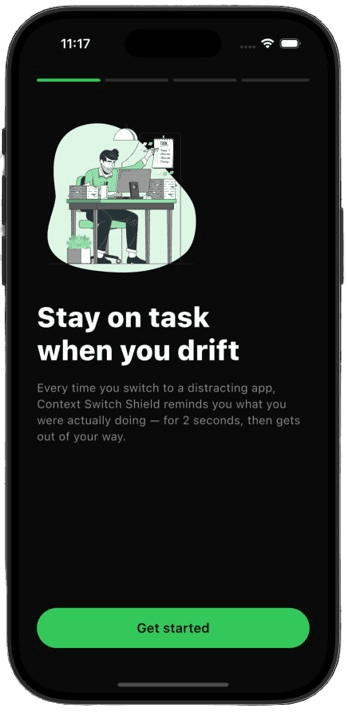
Every time you switch to a distracting app, Task Blink reminds you what you were actually doing — for 2 seconds, then gets out of your way.
How it works
Task Blink doesn't block your phone or shame you. It interrupts the autopilot moment — the second before you scroll.
A short reminder of what you're working on. One line is enough — "Finish the deck" or "Reply to Sarah."
Choose which apps should trigger the shield. Instagram, TikTok, Reddit — you decide what pulls you away.
When you open a selected app, your task appears for ~2 seconds. Enough to notice. Not enough to fight.
In the moment
You reach for a distracting app out of habit. Before the feed loads, your task fills the screen. Two seconds. Then you choose — stay or drift — with your eyes open.
iOS
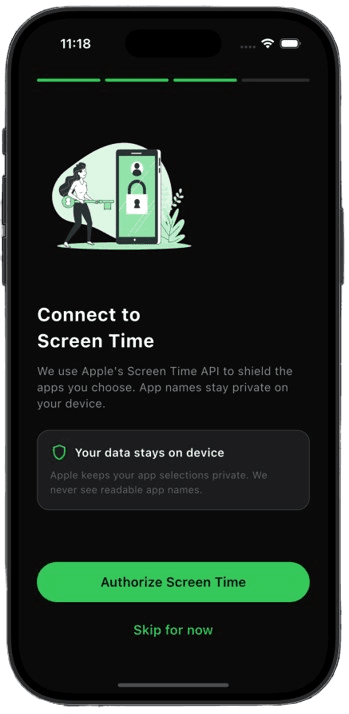
Uses Apple's native Screen Time shield with your task text. App selections stay private on your device.
Android
Shows a brief custom overlay when you switch to selected apps. Foreground app name only — never screen content.
Features
Not another blocker that you'll uninstall by Friday. A small friction point at the exact moment your brain goes on autopilot.
Your current focus lives on the home screen. Edit in one tap when priorities shift.
Intentional breaks matter. Pause the shield for 15 minutes, then it resumes automatically.
Pick exactly which apps trigger the nudge. Change the list anytime from settings.
Designed to feel like part of your phone — not another loud productivity app screaming at you.
Same mental model on iOS and Android. Native integrations on each — honest about the differences.
Shield unlimited apps, tweak blink duration, and unlock Android system-wide mode.
Privacy
Task Blink needs system permissions to know when you open a selected app. That's it. The scope is narrow by design — and explained plainly before you grant access.
Task text and settings are stored locally. We don't build profiles from your behavior.
On Android we read the foreground app name only — never keystrokes, messages, or screen content. On iOS, Apple keeps your app selections private.
No ads. No data brokers. Revenue comes from optional Pro subscriptions — not from watching what you do.
Full details in our privacy policy. Competitors in this space include Opal and One Sec — we're in the same lane: self-directed focus, not parental control.
Pricing
The core shield is free forever. Pro unlocks when you're ready to protect more apps and fine-tune the nudge.
Free
$0
Everything you need to try the habit.
Pro
Popular$2.99/mo
Or save with annual billing in the app.
| Feature | Free | Pro |
|---|---|---|
| Shielded apps | Up to 3 | Unlimited |
| Blink duration | 2 seconds | Customizable |
| Android coverage | Selected apps | System-wide |
| Core shield | Included | Included |
| Snooze breaks | Included | Included |
FAQ
Similar lane, different feel. We show your task for ~2 seconds when you open a distracting app — a nudge, not a hard lock. You can still proceed. The goal is breaking autopilot, not fighting you.
Set one task. Pick your apps. Let the shield do the rest — quietly, for two seconds at a time.
Free to start · Pro optional · Cancel anytime